
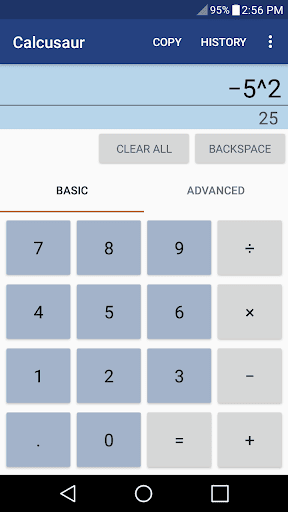
Calculator that evaluates input using the order of operations.
You can type on it with a keyboard.
Like most of my apps the install size is under half a megabyte.
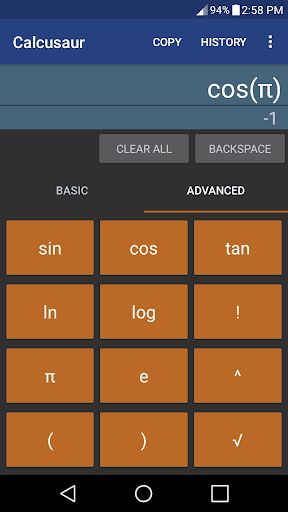
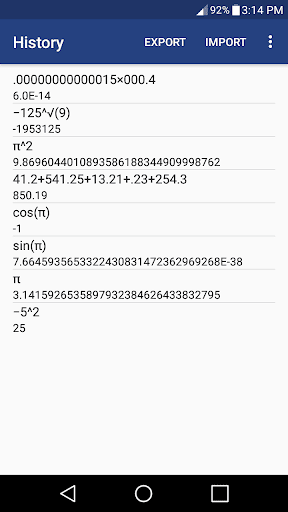
Precision: 32 digitsFeatures • Evaluates using the order of operations • Works with keyboards • Simple all-buttons interface (no swiping or hidden functions.) • Extra calculator buttons: sin, cos, tan, ln, log, π, e, !, ^, √, and () • Records history • 5 theme choices: Auto, Dark, Light, Black Out, and Light Amber • More customization settingsTry the Lite Versionhttps://play.google.com/store/apps/details?id=com.grantojanen.calculatorliteMore DetailsOffline: YesLightweight: Yes, < 1MBMulti-Window Support: YesDescriptor: basic calculator
https://andro.io/app/calculator-1l365
 Power 100

Android app profile
Calcusaur for Android – Latest Version & Features
★★★★★
(0 ratings)
Rate this app
How do you feel about Calcusaur?
Thanks for your feedback!
> 2.2k
Monthly Downloads
~$900
Estimated Cost
Screenshots









