
Like breaking in a new pair of leather shoes, high-quality headphones perform better once theyve been used over time.
This process can take several weeks or even months, so Moshi Audio has developed a helpful Android application to expedite the burn-in process.
By playing back a curated list of tones/frequencies, the Moshi Audio Burn-In Tool allows the headphone diaphragms to relax and reach their optimal level of sonic performance.
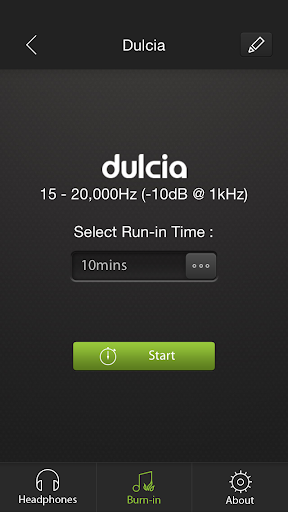
Simply install the burn-in tool on any Android device and select the headphone and desired burn-in period.
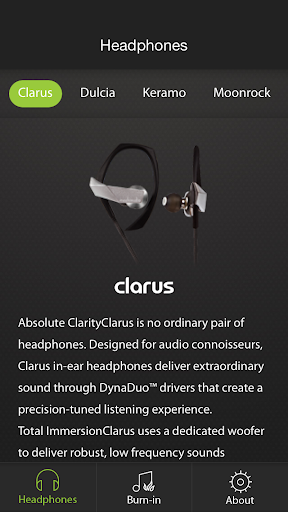
The burn-in tool is customized for all Moshi Audio headphones, but also includes support for any third-party audio headsets as well.
Directions: Remove your new headphone from your ears and plug them to your Android device.
Select the appropriate model or create a new profile for your headphone.
Adjust the volume on your Android device to mid-level (normal listening volume), then start.
Additional Tips: ● Playback volume should be at your normal listening volume.
For Moshi Audio earphones with impedance up to 20 ohms, this corresponds to 40-60% of volume on the Android device.
Audio playback at excessive volumes WILL damage your headphones.
● Allow several hours of rest in between burn-in cycles.
The recommended duration for each burn-in cycle is 4-8 hours.
● Listen to your headphones in between burn-in cycles to check the progress.
Some headphones may require additional burn-in time before reaching their desired sound quality.
https://andro.io/app/burnintool
 Power 100

Android app profile
Burn-in Tool for Android – Latest Version & Features
by Aevoe Inc.
★★★★★
(0 ratings)
Rate this app
How do you feel about Burn-in Tool?
Thanks for your feedback!
> 2.2k
Monthly Downloads
~$900
Estimated Cost
Screenshots









