
With this app, you can easily reboot your rooted Android device into recovery mode.
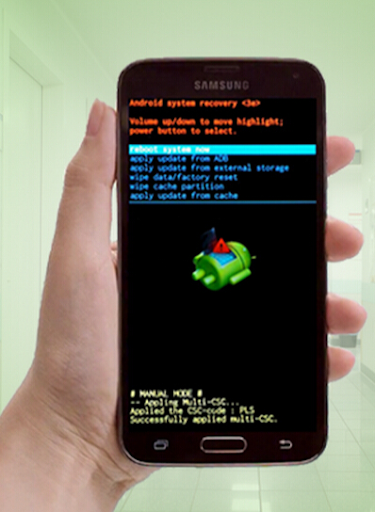
You can also reboot your phone into Fastboot and Download mode.This can be useful for users having broken smartphone buttons (volume DOWN key, volume UP key, or power key).The Recovery mode is an independent runtime environment stored in a separate partition in every Android operating system.
Once entering Recovery mode, you can easily wipe data/factory reset your device, wipe cache partition, or upgrade/update your software.
The recovery mode is very useful for fixing various OS problems.The Download mode, also known as Odin mode for Samsung devices, allows to flash official stock firmware, custom ROMS, and kernels.
Fastboot is also another system maintenance mode that can be used to re-flash partitions on Android-based devices, which is an alternative to the Recovery Mode for doing software updates.
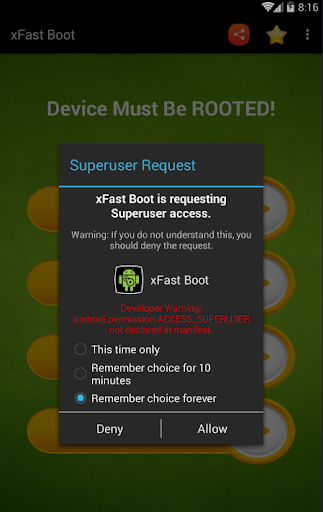
Requirements: Phone must be ROOTED for the app to work properly.Features - Reboot into Recovery Mode - Reboot into Download Mode - Reboot into Fastboot Mode- Reboot PhoneNote: This app is tested on some Samsung, Huawei, Lenovo, and some other MTK/MediaTek smartphones and it worked fine.
We hope it works well for your rooted phone or tablet as well.
https://andro.io/app/bootrecovery
 Power 100


Android app profile
Reboot into Recovery - xFast for Android – Latest Version & Features
by iUtilities
★★★★★
(0 ratings)
Rate this app
How do you feel about Reboot into Recovery - xFast?
Thanks for your feedback!
> 2.2k
Monthly Downloads
~$900
Estimated Cost
Screenshots









