
Borrowing procedure1.
sign upFirst, create an account with your email address and password.
Next, enter your name, mobile phone number and payment method to complete registration.2.
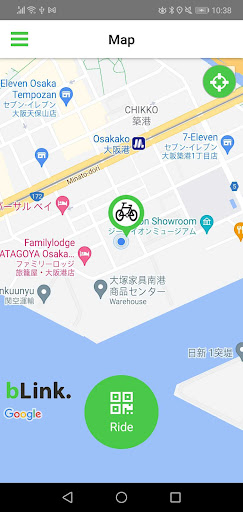
how to ride a bikeWhen you scan the QR code attached to the bicycle, the information of the bicycle will be displayed.
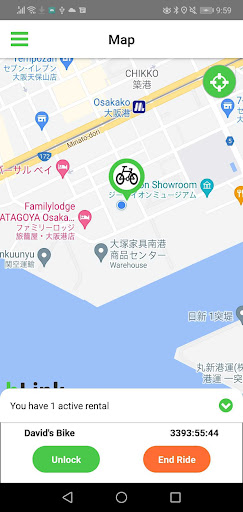
When you press the "OK Unlock" button on that screen, the unlock button will appear, so press that button to unlock automatically.3.
returnReturn it to the borrowed place, close the lock manually, and press the return button to end the use.4.
method of payment At the end of the month, the payment will be deducted from your credit card the following month.
The bLink staff will check the data before debiting it, so even if there is a problem with the system, you can correct or cancel the charge by contacting customer service.4.
Check bike storage, availability and other informationBike parking is indicated by a bicycle icon on the map.
Tap the icon to display a photo of the bicycle in the storage area.
If in use, the photo will be grayed out.procedure to lend1.
Please contact bLink customer service representative Takahashi ([email protected]).
Currently, we do all the registration and so on.
https://andro.io/app/blinkandroid
 Power 100
Android app profile
RideBLink - bike sharing for Android – Latest Version & Features
by 株式会社 bLink Technologies
★★★★★
(0 ratings)
Rate this app
How do you feel about RideBLink - bike sharing?
Thanks for your feedback!
> 2.2k
Monthly Downloads
~$900
Estimated Cost
Screenshots









