https://andro.io/app/backuptopc-1506a
 Power 100
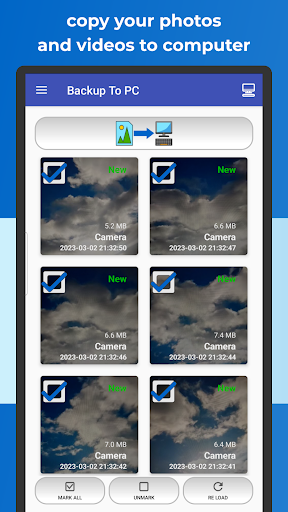
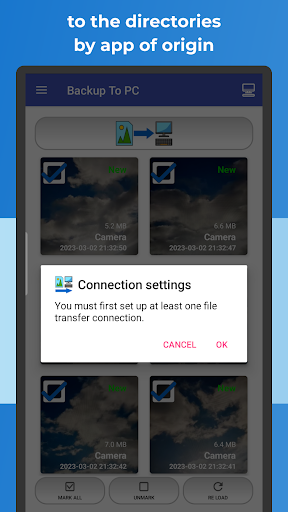
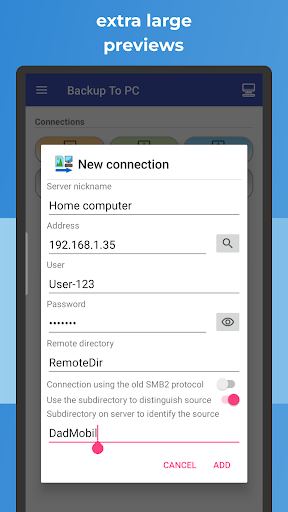
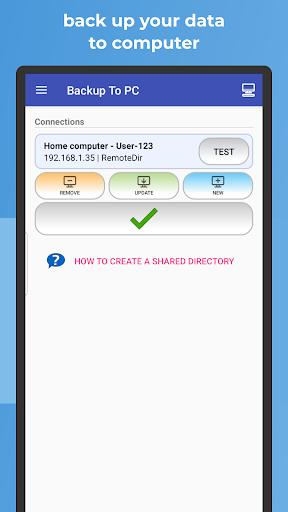
🔄 BACKUP TO PC simplifies the transfer and organization of your photos and videos from your mobile to your computer.
Easily create backups with a single click, automatically organizing files into app-specific folders.
The transfer is done using protocols
📁 (Samba - shared directory) SMB,
🔐 SFTP, or
📂 FTP.Key Features:
✔️ Effortlessly back up photos and videos to your computer
✔️ Automatically sort into app-specific directories
✔️ Streamlined interface for quick and intuitive usage
✔️ Wireless backup, no USB cable requiredEnjoy secure and encrypted transfers using advanced protocols:•
📁 SMB (Samba)•
🔐 SFTP (Secure File Transfer Protocol)•
📂 FTP (File Transfer Protocol)Using BACKUP TO PC ensures a smooth and efficient transfer of your valuable photos and videos to your computer.
The app smartly organizes copied files into specific directories for each app, ensuring a tidy backup of your precious moments.Secure your memories by regularly backing up photos and videos to your computer, maintaining up-to-date device file backups.
The app skips existing files during repeated backups.
It supports archiving media from multiple devices, creating separate directories for each device.Highlights:•
🔄 Set up your connection in minutes—no USB cables needed.•
📷 Large file previews for easy file selection.•
🔒 Your data stays private and under your control.•
☁️ No reliance on cloud storage—your photos and videos remain in your hands.Recommended Devices:Samsung Galaxy, Nokia, Motorola, HTC, OPPO, Lenovo, Asus, Sony Xperia, Alcatel, Vodafone.Note:This application operates within a LAN network with a Computer, PC, or NAS server to ensure seamless functionality.Preserve your cherished memories flawlessly with the comprehensive solutions of PhotoBackup and VideoBackup.
Safeguard your visual narratives securely on your computer for a lasting record of your most treasured moments, offering an excellent means for chronological reference.Compatible with Windows, macOS and Linux
Android app profile
Backup Photos To My PC, NAS for Android – Latest Version & Features
★★★★★
(0 ratings)

Rate this app
How do you feel about Backup Photos To My PC, NAS?
Thanks for your feedback!
> 2.2k
Monthly Downloads
~$900
Estimated Cost
Screenshots
About Backup Photos To My PC, NAS
🔄 BACKUP TO PC simplifies the transfer and organization of your photos and videos from your mobile to your computer.
Easily create backups with a single click, automatically organizing files into app-specific folders.
The transfer is done using protocols
📁 (Samba - shared directory) SMB,
🔐 SFTP, or
📂 FTP.Key Features:
✔️ Effortlessly back up photos and videos to your computer
✔️ Automatically sort into app-specific directories
✔️ Streamlined interface for quick and intuitive usage
✔️ Wireless backup, no USB cable requiredEnjoy secure and encrypted transfers using advanced protocols:•
📁 SMB (Samba)•
🔐 SFTP (Secure File Transfer Protocol)•
📂 FTP (File Transfer Protocol)Using BACKUP TO PC ensures a smooth and efficient transfer of your valuable photos and videos to your computer.
The app smartly organizes copied files into specific directories for each app, ensuring a tidy backup of your precious moments.Secure your memories by regularly backing up photos and videos to your computer, maintaining up-to-date device file backups.
The app skips existing files during repeated backups.
It supports archiving media from multiple devices, creating separate directories for each device.Highlights:•
🔄 Set up your connection in minutes—no USB cables needed.•
📷 Large file previews for easy file selection.•
🔒 Your data stays private and under your control.•
☁️ No reliance on cloud storage—your photos and videos remain in your hands.Recommended Devices:Samsung Galaxy, Nokia, Motorola, HTC, OPPO, Lenovo, Asus, Sony Xperia, Alcatel, Vodafone.Note:This application operates within a LAN network with a Computer, PC, or NAS server to ensure seamless functionality.Preserve your cherished memories flawlessly with the comprehensive solutions of PhotoBackup and VideoBackup.
Safeguard your visual narratives securely on your computer for a lasting record of your most treasured moments, offering an excellent means for chronological reference.Compatible with Windows, macOS and Linux









