
Axion - ZoomerINSTALLATION:1.
Please make sure you watch is connected to your phone via Bluetooth2.
You can also install this watch face by accessing the Google Play Store in the web browser in a PC or Laptop with the same account you made the purchase from to avoid double charge.3.
If PC/laptop not available, you can use the phone web browser.
Head over to the Play Store app, then to the watch face.
Click the 3 dots in the upper right hand corner then Share.
Use the available browser, I suggest Samsung Internet app, login the account you made the purchase from and install it there.4.
You can also check the Samsung Developers video installing Wear OS watch face in so many ways: https://youtu.be/vMM4Q2-rqoMPlease be patient with us until Play Store fixes this issue.
Please understant that we dont have control over the installation issue.
Our watch face apps are thoroughly tested in a real device (Galaxy Watch 4 Classic) and are reviewed and approved by the Google Play Store team before publishing them.
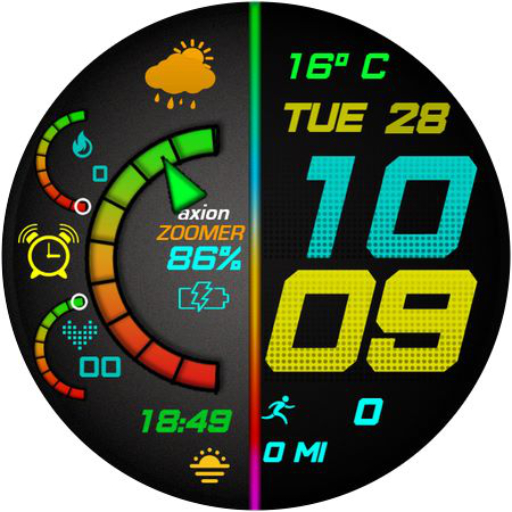
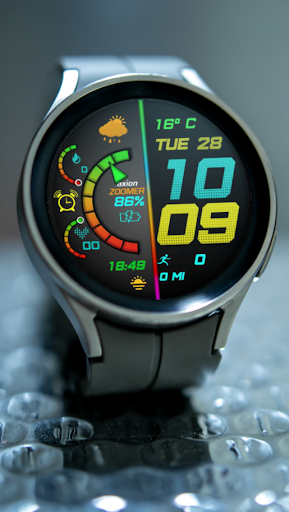
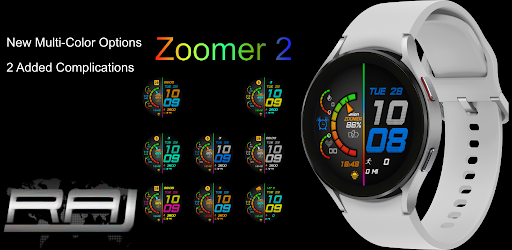
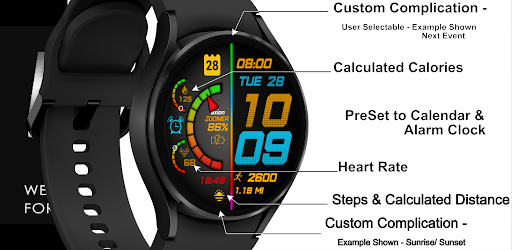
We love to share our work and make sure users will enjoy our watch faces.FEATURES:- Digital clock switchable to 24h/12h via Phone Settings- Alarm and Calendar Shorcuts- 2 Editable Complications- 7 Color choicesPlease enjoy!Made for WearOsCUSTOMIZATION:1.
Press and hold display then hit "Customize".2.
Swipe left and right to choose what to customize.3.
Swipe up and down to choose options available.4.
Hit "OK".Note:If Heart Rate is 0, you probably missed the Allow permissionin the first installation.
Please try solutions below:1.
Please do this two (2) times - switch to another watch face and switch back to this face to enable the permission2.
You can also enable permissions in the Settings> Apps> Permission> find this watch face.3.
Also this can be triggered by a single tap to measure the heart rate.
Some of my watch faces are still in Manual RefreshJoin our Facebook page: RAJ CoLab at:Facebook page: https://www.facebook.com/RAJCoLab/See out Developer Page at:https://play.google.com/web/store/apps/dev?id=5910798788508387665For support and request, you can email me at [email protected]
https://andro.io/app/axion-zoomer
 Power 100

Android app profile
Axion Zoomer for Android – Latest Version & Features
by Titanium Cyber Systems (TCS) Services
★★★★★
(0 ratings)
Rate this app
How do you feel about Axion Zoomer?
Thanks for your feedback!
> 2.2k
Monthly Downloads
~$900
Estimated Cost
Screenshots









