
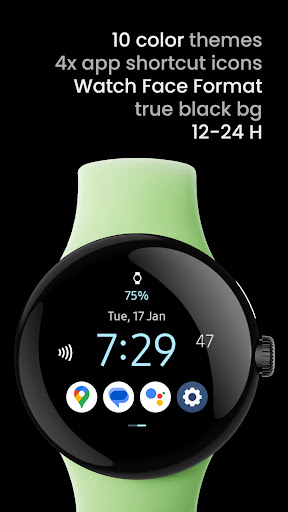
Only for Wear OS devices - API 28+Powered by Watch Face Formatamoledwatchfaces.comBUY ONE GET ONE OFFER!amoledwatchfaces.com/bogoADDITIONAL COMPLICATION APPSHealth Plugin; Distance, Calories, Floors, Heart Rate, Steps: https://bit.ly/3OULtDbComplications Suite: https://bit.ly/3yuRwr1Phone Battery Complication: https://bit.ly/3c31hozFavorite Apps Tile: https://bit.ly/8fks436FEATURES• free for download• true black background• high resolution• 10x digital time colors• PNGQuant optimized layers > battery friendly• simple ambient mode with low OPR• multilanguage date• 4x custom app icons / shortcutsCUSTOMIZATION• long press watch center > open customization settings 1.
Color (10x) 2.
ComplicationWANT CUSTOM BACKGROUND COMPLICATION?You can support us and use our own paid Photo Complication for Wear OS:https://play.google.com/store/apps/details?id=com.weartools.photocomplicationor use your own Gallery app / Muzei (3rd party)Installation and troubleshooting guide:https://amoledwatchfaces.com/guidePhone app serves only as a placeholder to make it easier to install & find the watch face on your Wear OS watch.
You have to select your watch device from the install drop-down menuPlease send any issues reports or help requests to our support [email protected] our Telegram group for live support and discussionhttps://t.me/amoledwatchfaces
https://andro.io/app/awfone
 Power 100



Android app profile
One: Icons Watch Face for Android – Latest Version & Features
★★★★★
(0 ratings)
Rate this app
How do you feel about One: Icons Watch Face?
Thanks for your feedback!
> 2.2k
Monthly Downloads
~$900
Estimated Cost
Screenshots









