
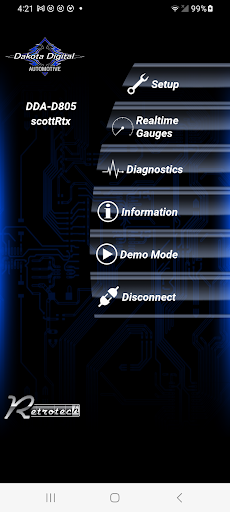
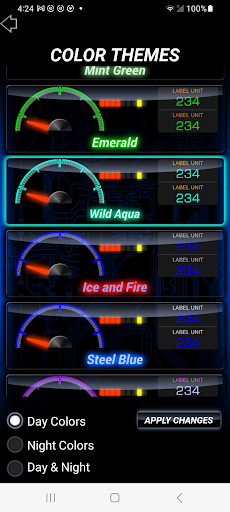
Youve invested in a Dakota Digital system, and now you can harness its full potential with wireless control through the Dakota Digital App!Automotive System Features:~Choose from a variety of backlight, needle, display, theme, and scheme colors.~Set up and calibrate gauges with customizable warning points.~Easily calibrate your speedometer using your devices GPS.~Access real-time sensor data for diagnostics.~Arrange gauge layouts in programmable group screens.~View real-time gauge readings as a simulated secondary display.~Set up and name your BIM Module.~Customize odometer presets and access Demo Mode.
(For use with Dakota Digital HDX, RTX, and Grafix Systems only)Motorcycle System Features: Wirelessly control all functions of your Dakota Digital MLX Instrument system with this app.~Customize the backlight, bar graph, and label colors and themes.~Create custom color palettes.~Set up and calibrate gauges with customizable warning points.~Access real-time sensor data for diagnostics.~Customize screen reading configurations.~View real-time gauge readings.~Set up your MBM Module and customize odometer presets.
(For use with Dakota Digital MLX Systems only)Accessory Features: Install and set up your Dakota Digital accessories effortlessly with this app.When using the SGI-100BT:~Calibrate speedometer and/or tachometer input and output.~Configure diesel-sourced tachometer signals.~View calibration values for enhanced diagnostics.When using the PAC-2800BT:~Select single or dual fan settings.~Configure temperature On/Off points.~Disable the high-speed fan.~Program fan delay-off.~Configure sensor input type and custom sensor calibration.~Verify setup values onscreen.When using the ECD-200BT:~Display real-time GPS speed for speedometer cable calibration.~Configure alternative 1-mile auto-calibration.~Adjust the speedometer percentage for fine-tuning.~Choose a speedometer input source between the dedicated sensor and OBD II.~Access diagnostics for troubleshooting.When using the BIM-RGB:~Customize LED output colors and themes.~Calibrate LED colors.~Enable music mode.~Set up optional switch inputs.~Sync BIM-RGB colors with other Dakota Digital products (HDX/RTX).
https://andro.io/app/automotive-j1c8
 Power 100


Android app profile
Dakota Digital for Android – Latest Version & Features
★★★★★
(0 ratings)
Rate this app
How do you feel about Dakota Digital?
Thanks for your feedback!
> 2.2k
Monthly Downloads
~$900
Estimated Cost
Screenshots









