
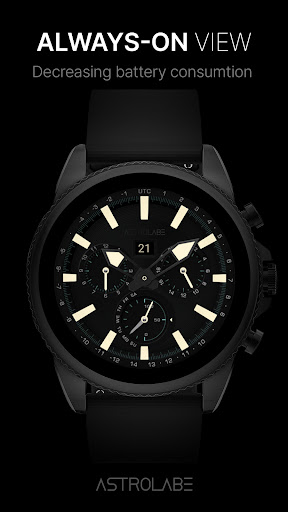
“ Thank you for visiting High quality watch face brand AstrolabeWatch™”We support all devices based Wear OS APi 28+, including Fossil Gen 2, Fossil Gen 3, Fossil Gen 4, Fossil Gen 5, Fossil Gen 6, Michael Kors Runway, Mobvoi Ticwatch pro, Mobvoi Ticwatch pro 4G, Mobvoi Ticwatch pro 2020, Ticwatch C2, Ticwatch S2, Ticwatch E2, Ticwatch Pro 3 GPS, Ticwatch E3, Montblanc Summit 2, Motorola Moto 360(3rd Generation) , Skagen Falster 2, Skagen Falster 3, Suunto 7, Samsung galaxy watch 4, Samsung galaxy watch 4 classic, Samsung galaxy watch 5, Samsung galaxy watch 5 pro.FEATURES- 12h/24h format (automatic upon your phone setting)- Date- Battery rate- x2 Hands style- x5 Backgrounds- AOD modeINSTALLATION 1.
Make sure that your watch is connected to your mobile via Bluetooth2.
Install the watch face and make sure that you selected your watch3.
You can also install the watch face by opening play store through your web browser.4.
You can install the watch face through your watch directly by opening the play store on the watch and search for your watch face and install it.NOTIFICATION1.
if you see message "Your devices are not compatible", use Play Store on WEB browser from PC / Laptop instead of app on phone.2.
All permissions must be given to display sensor data.3.
You can uninstall the application after installation4.
Make sure you have enabled all permissions from settings -> applications.CONTACT“Your comments give us better insight.”Mail : [email protected] : instagram.com/astolabewatchFacebook page : facebook.com/AstrolabeWatchFace—————————————————————————————————————————CUSTOMIZATION1.
Press and hold display then hit "Customize".2.
Swipe left and right to choose what to customize.3.
Swipe up and down to choose options available.4.
Hit "OK".
https://andro.io/app/astroanalogcamel
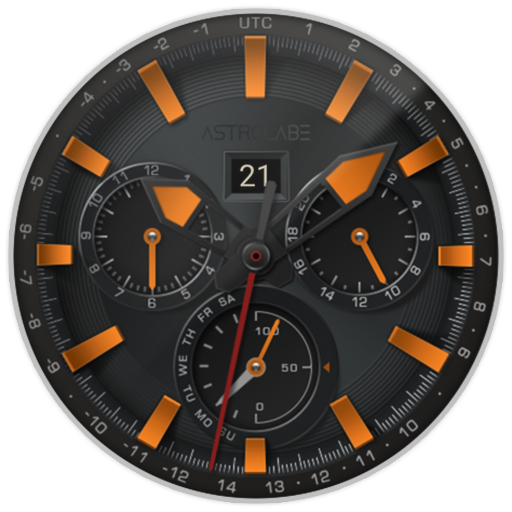 Power 100



Android app profile
ASTRO Watch face Camel for Android – Latest Version & Features
by AstrolabeWatch™󠀠󠀠󠀠
★★★★★
(0 ratings)
Rate this app
How do you feel about ASTRO Watch face Camel?
Thanks for your feedback!
> 2.2k
Monthly Downloads
~$900
Estimated Cost
Screenshots









