
What is iCenter iOS 17 Assistive Touch?iCenter iOS 17 Assistive Touch is an easy tool for Android devices.
Its fast, it’s smooth.With a floating panel on the screen, you can easily use your Android smart phone.
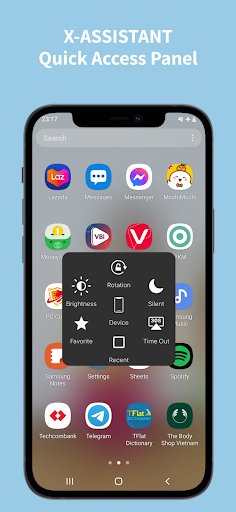
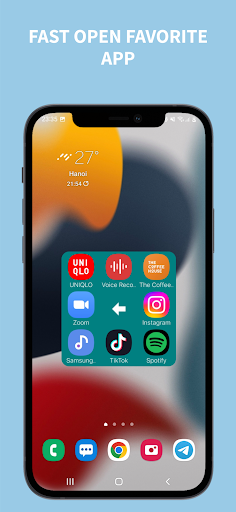
More conveniently, you can quickly access to all your favorite apps, games, settings and quick toggle.iCenter iOS 17 Assistive Touch is also an ideal app to protect the physical buttons (home button and volume button).
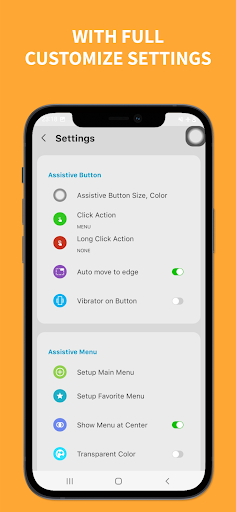
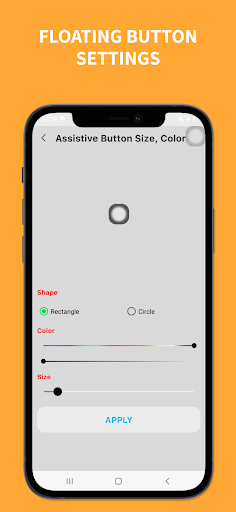
It is very useful for big screen smart phone.*** iCenter iOS 17 Assistive Touch for Android- Virtual Home button, easy touch to lock screen and open recent task- Virtual Volume button, quick touch to change volume and change sound mode- Virtual Back button- Easy touch to open your favorite application- Go to all setting very quick with a touch*** iCenter iOS 17 Assistive Touch - Quick touch setting include:- Capture Screenshot- Power popup- Open Notification- WiFi- Bluetooth- Ring mode (Normal mode, Vibrate mode, Silent mode)- Screen rotation- Volume up & down- Airplane mode- Flashlight- Launch all applications or games on your device- Screen Recorder- Dark Mode- Do not distab- Screen Time out*** iCenter iOS 17 Assistive Touch - Customize- You can change color of background with your favorite color- You can change Assistant button: size, color, shape- Setting for Floating Button (One tap, long press)*** This app uses Accessibility services.- Accessibility services are used to add view on screen and only used to these actions.- CAMERA to turn on Flashlight, not take a photo.- READ_PHONE_STATE only listen state of phone to make app work properly.- We never publicly disclose any personal or sensitive user data related to financial or payment activities or any government identification numbers, photos and contacts, etc.Please open application and grant permission to control settings in iCenter iOS 17 Assistive Touch.If you appropriate us, please share with your friends and families.Besides, Please give us a 5-start rating to support developer and you can feedback question for us.
We will consider for future updates.Many thanks for using this app.
https://andro.io/app/assistivetouch-l42m
 Power 100
Android app profile
iCenter iOS17: Assistive Touch for Android – Latest Version & Features
★★★★★
(0 ratings)
Rate this app
How do you feel about iCenter iOS17: Assistive Touch?
Thanks for your feedback!
> 2.2k
Monthly Downloads
~$900
Estimated Cost
Screenshots









