
The Aruba CX mobile app automates connecting an ArubaOS-CX switch to the network.
Use this mobile app to deploy and manage ArubaOS-CX switches from your mobile device.
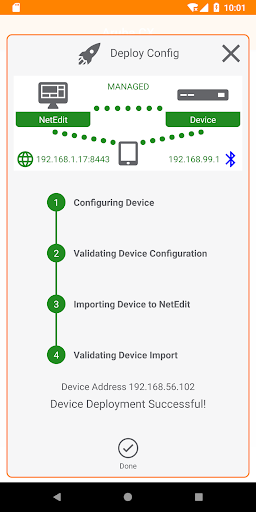
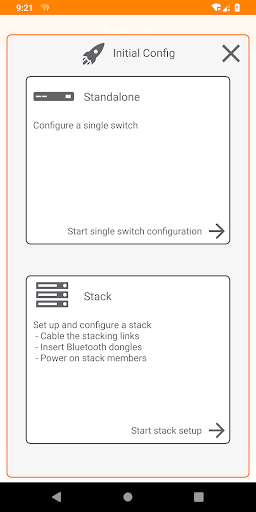
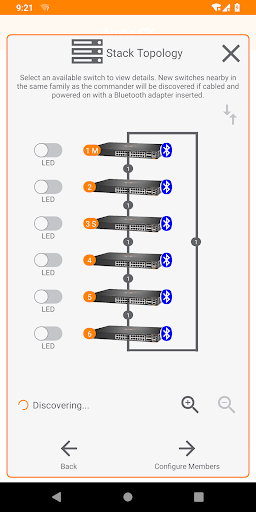
You can connect to the switch through Bluetooth or WiFi.This app supports AOS-CX firmware: 10.3 and newerYou can use the Aruba CX mobile app to do the following from your mobile device:• Connect to the switch for the first time and configure basic operational settings• View and change the configuration of individual switch features or settings• Manage the running configuration and startup configuration of the switch• Auto-detection of potential stack members and links to enable stack creation and configuration with just a few taps• Quickly check the switch PoE budget and utilization from the home screen• Access the switch CLIThe Aruba CX mobile app also automates importing ArubaOS-CX switches into Aruba NetEdit for intelligent configuration management and continuous conformance validation.If you are facing issues connecting to an ArubaOS-CX switch using a Bluetooth connection, follow the below troubleshooting steps to reset your Bluetooth settings:1.
Open the Settings application on your mobile device.2.
Search for “Reset network settings” or “Reset Wi-Fi, mobile & Bluetooth”.3.
Tap on the appropriate option and reset your Bluetooth settings.
https://andro.io/app/arubacx
 Power 100

Android app profile
Aruba CX for Android – Latest Version & Features
by Aruba, a Hewlett Packard Enterprise company
★★★★★
(0 ratings)
Rate this app
How do you feel about Aruba CX?
Thanks for your feedback!
> 2.2k
Monthly Downloads
~$900
Estimated Cost
Screenshots









