
Do you have any apps, photos, or videos that you need to protect from others?Smart Protector protects your privacy through strong app lock and media encryption.Even if you lose your phone, others cannot easily access the secured apps and media.
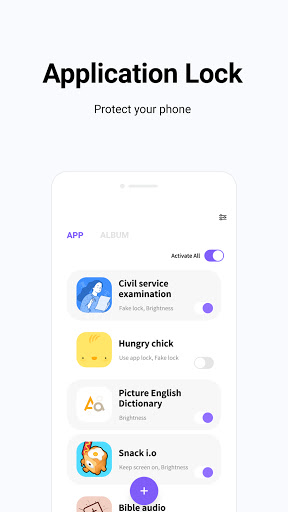
✔App lock securitySecurity is strengthened by setting a security pattern when running the app.Also, it may appear that apps are not running normally by popping up fake error messages.
✔Various authentication securityYou can use various authentication modes such as password, pattern, biometric authentication (mobile phone support required).
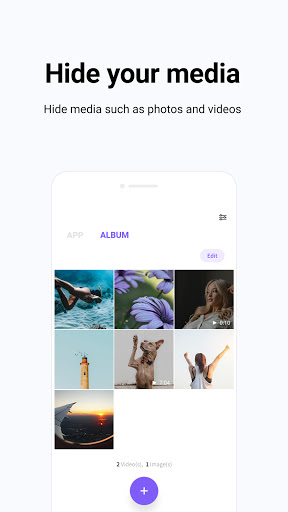
✔Photo and video securityPhotos and videos selected from the gallery are encrypted and can be safely managed with Smart Protector.
✔Set screen brightnessYou can adjust the screen brightness when running the app.
✔Keep screen onYou can keep the screen on when running the app.
✔Set screen orientationWhen running the app, you can set the screen orientation to auto, portrait, or landscape.
✔Delete protection functionYou can set the Smart Protector app not to be deleted.
✔Support lock reset function when password is lostIf you forget your password, you can reset it through the reset setup menu.However, if the password is lost while using Smart Protectors self-authentication, the function is limited.Purpose of app permission to obtain consent prior to installation-Storage space (optional): Permission to use the media lock function-Device administrator (optional): Required permission when using the Smart Protector deletion prevention optionHelpDesk contact:070 4336 1593----Developer Contact:18, Seochojungang-ro, Seocho-gu, Seoul
https://andro.io/app/appp-1atc6
 Power 100

Android app profile
Smart Protector - Security for Android – Latest Version & Features
by Wafour Utils
★★★★★
(0 ratings)
Rate this app
How do you feel about Smart Protector - Security?
Thanks for your feedback!
> 2.2k
Monthly Downloads
~$900
Estimated Cost
Screenshots









