
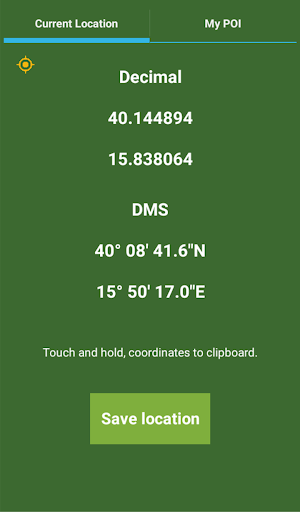
This application tells you latitude and longitude of your current location without internet connection.
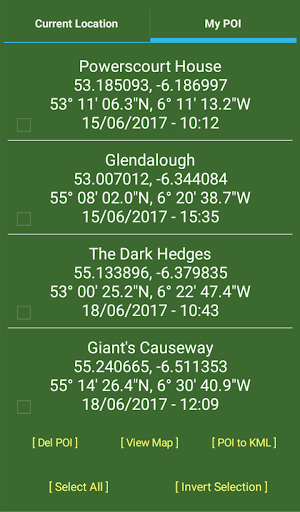
GPS coordinates (latitude and longitude) are available in both decimal and DMS format (degrees, minutes, seconds) that can be saved in a personal archive, exported in KML format (Keyhole Markup Language) and possibly viewable in Google Maps; KML is an XML-based file format used to represent geographic features in applications such as Google Earth.
This is very useful for outdoor-people, geocachers, pilots, sailors, photographers and those who often need to use and understand numerical GPS coordinates.
The maximum number of POI is 50.Touch and hold coordinates to save them to clipboardTouch and hold [ Del POI ] to delete selected POITouch and hold [ View Map ] to view selected POI in Google MapsTouch and hold [ POI to KML ] to export selected POI in KML formatTouch and hold [ Select All ] to select all POITouch and hold [ Invert Selection ] to invert selection of POITouch and hold single POI to save it to clipboard
https://andro.io/app/app-843117
 Power 100

Android app profile
Your location for Android – Latest Version & Features
★★★★★
(0 ratings)
Rate this app
How do you feel about Your location?
Thanks for your feedback!
> 2.2k
Monthly Downloads
~$900
Estimated Cost
Screenshots









