
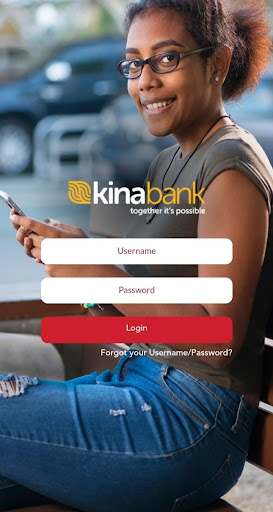
Welcome to Kina Retail Mobile App.
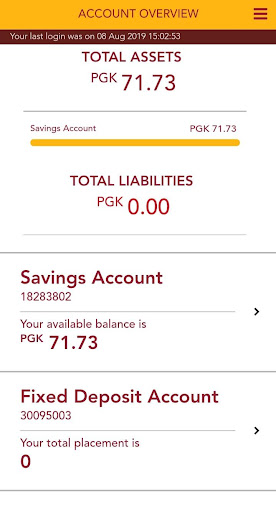
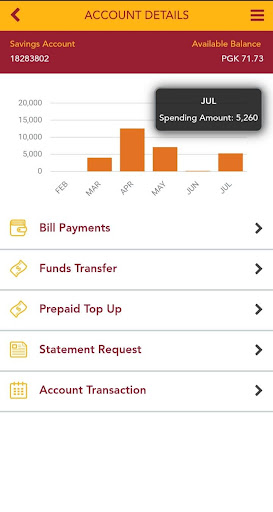
Banking has never been easier – take care of everyday transactions whenever and wherever you want to.With just a click of a button you can; • View the balances of all your accounts• View your transaction history & account details • Download eStatements• Transfer funds between your own accounts or to 3rd Party accounts• Transfer funds to other banks• Digicel and BMobile Top-up• Easipay top-up• Create Favourite Accounts for frequently used accounts• Open and view Fixed Deposits account and much more.Important information:• To use Kina Retail Mobile Banking, you must have an active Retail Internet Banking username & password; • If you are an existing Kina Retail Internet Banking user, you can simply use your existing username & password to log onto Kina Retail Mobile Banking.• If you do not have an existing Kina Retail Internet Banking account, you must perform the ‘First Time Login’ process on Kina Retail Internet Banking – go to https://www.mykina.com.pg/ to complete this process.• Compatible with Android 4.0 or higher;Need help?• Terms & Conditions: http://www.mykina.com.pg/retail/• Locations: http://www.kina.com.pg/contact/locations/ • Security Alerts: http://www.kina.com.pg/security-alert/• Twitter: https://twitter.com/KinaGroupPNG• Facebook: https://www.facebook.com/KinaGroup• Linkedin: https://www.linkedin.com/company/kina-securities
https://andro.io/app/app-1lfba
 Power 100
Android app profile
Kina Retail Mobile Banking for Android – Latest Version & Features
★★★★★
(0 ratings)
Rate this app
How do you feel about Kina Retail Mobile Banking?
Thanks for your feedback!
> 2.2k
Monthly Downloads
~$900
Estimated Cost
Screenshots









