
Describe the function of the software1.
Login: after registering the information fields, you will be given an admin account to log in2.
Facility management: provide quick functions & information for users.a.
Location information: provide location information such as: location name, information system code & description of user accountb.
Device view management: view system device information & control (volume, location)3.
Source management:a.
Manage sources to broadcast: Here users can add news in audio or text format.
View, browse and delete bulletins that have been uploaded to the system.
Users can also add digitized stations by going to the news source tabb.
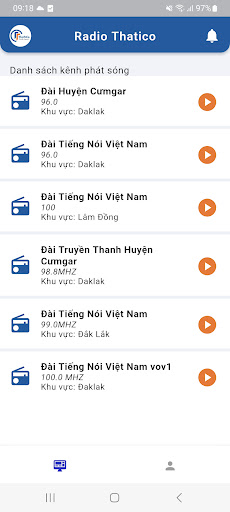
Relay the central station and digital channelsc.
Program editor: Functions used to edit local broadcasts, including functions such as editing broadcasts immediately after creation, broadcast scheduling and time-framed broadcast functions, broadcast sources from news bulletins.
you have uploaded to the system before, broadcast from available stations and broadcast lived.
Play from bulletins uploaded to the system: In the bulletin category, you select the regular bulletin and select the bulletin you want to broadcaste.
Select the source (the file is already available, added before), select the area to broadcast the message, then we choose the time to broadcast the message according to the needs.f.
Broadcast from radio stations: In the message type section, select "Relay message", then select the list of stations you want to broadcast.4.
Manage broadcast schedule: Show information about local broadcast schedule
https://andro.io/app/android-vsqb
 Power 100



Android app profile
Radio Online for Android – Latest Version & Features
by TRAN VAN LUU
★★★★★
(0 ratings)
Rate this app
How do you feel about Radio Online?
Thanks for your feedback!
> 2.2k
Monthly Downloads
~$900
Estimated Cost
Screenshots









