
Create awesome music videos in just a few minutes with the Harmix app.
Harmix intelligent service will help you choose and add music to your video quickly and easily.Bloggers, video editors, marketers, designers, composers, and users who want to create and share interesting videos on their social networks and messengers can use Harmix.
How to add music to video?The mobile app is developed for the Android platform (since version 7.0).
It has an intuitive and functional interface.
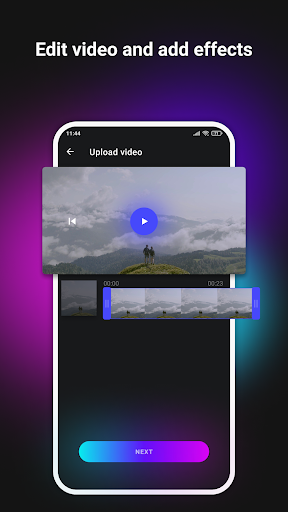
You can easily create and manage your video files.To use Harmix you need to:Download and install the app.
Log in.Upload your video file.Trim the video if needed.Pick the necessary settings for music, or rely on Harmix artificial intelligence.
The app will quickly process the content and make a new video.Download the final video to your device or share it on social networks or messengers.A paid subscription opens up more possibilities for working with video and music.How Harmix works?Harmix analyzes objects, dynamics, lighting, and actions in the frames.
Based on the analysis, it selects five music tracks from more than 5,000 high-quality music compositions.
Harmix app provides high-quality and fast track selection without any watermarks on the final video!Harmix has processed lots of videos for self-improvement to know how to properly match music to videos.
In this way, the intelligent software has defined the criteria that are used to select melodies for the video.
You only need to upload a video file, and the Harmix service will add the necessary music by itself.
In a few minutes, background music will be selected from thousands of melodies.
And here is your high-quality professional video!All Harmix music is copyrighted and licensed under a Creative Commons license to use it free for commercial use.
You can always see more information about licenses and terms of use right as you watch your finished video!
Just click the copyright icon in the upper right corner of the video player, and Harmix will give you all the instructions you need to follow for a particular music track to make sure your video complies with all the rules.Music for video editing: fast and efficientPreviously, selecting music for a video was a routine and complex process that took many hours of work.
Harmix has reduced this time to a few seconds.
Now bloggers, marketers, designers, composers, and video editors can easily create a music video that matches the authors idea.Content creators who have installed Harmix on their smartphones are very positive about the app.
If you need background music for a video, install Harmix and see how convenient this service is!
https://andro.io/app/android-usg6
 Power 100



Android app profile
Harmix - add music to video for Android – Latest Version & Features
by Harmix
★★★★★
(0 ratings)
Rate this app
How do you feel about Harmix - add music to video?
Thanks for your feedback!
> 2.2k
Monthly Downloads
~$900
Estimated Cost
Screenshots









