
DrivePassword is a new generation of a secret manager.
Integrated with Google Drive™, all you need to start using and protecting your passwords is a private account.Easy to use - intuitive design and native appsAvailable on any platform.Complete control over your data - DrivePassword is integrated with Google Drive™.
All your information is first encrypted and then stored in your drive.Secure - Your data is sealed with AES-256 bit encryptionEssential features at a glance● Organise you passwords with categories● Endless subcategorisation - folder/subfolder1/subfolder2/subfolder3…..● Password Generator for creating secure passwords● Import from variety of password managers● Export all you passwords● Password strength indicator● Second auth mechanism - password / pattern lock / 2FA● Share categories and accounts● Full control on the shared categories/accountsRecommended for teams● Sharing - Securely share and manage account information, logins, secret keys, backup keys, and more with other team members.● Access control - Complete control on who can access and/or edit the securely stored information in your DrivePassword account.● Priority Support - Having a problem?
Got questions?
Get the help you need when you need it, fast!.● Two-factor authentication - Choose the most convenient 2FA method to securely access your account.DATA SOVEREIGNTYOnly you can access your data.
No one can peak at the secrets and passwords you store in DrivePassword.
Period.
https://andro.io/app/android-1guy3
 Power 100


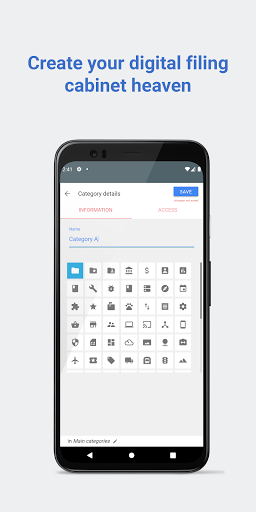

Android app profile
DrivePassword Password Manager for Android – Latest Version & Features
★★★★★
(0 ratings)
Rate this app
How do you feel about DrivePassword Password Manager?
Thanks for your feedback!
> 2.2k
Monthly Downloads
~$900
Estimated Cost
Screenshots









