
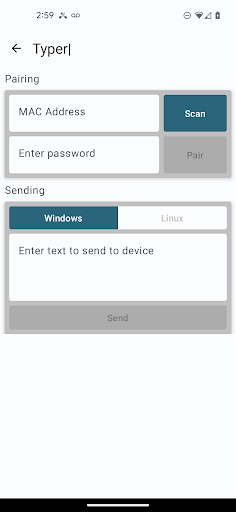
The Typer app was created by Keeper Security in collaboration with Siemens to provide the ability to transmit passwords or other data to the the Siemens Typer USB device over Bluetooth Low Energy (BLE) protocol.
Typer can be used as a standalone app, or it can be used with Keeper Password Manager to transmit information with one click.
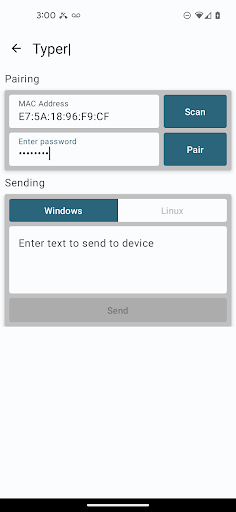
When the Typer device is plugged into the USB port of a computer, it behaves as a keyboard device.Pairing can be completed by performing a QR code scan via the camera of the device, or by manual entry of the device MAC address.
Device information is stored in the secure keychain on the device.When Typer is installed on the same device as Keeper Password Manager, a new feature is displayed in the Keeper record called "Share to Typer".
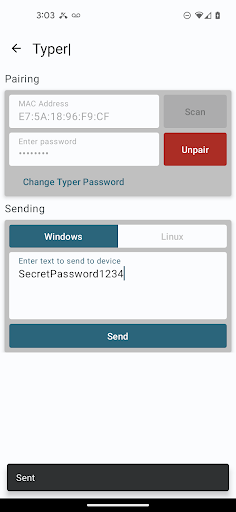
Tap on the "Share to Typer" menu item, then select which field to send. After the user selects the fields they want to send, Keeper will open the Typer app and transmit those fields via its "Text to Send" text editor.
The Typer app will pair to the Siemens BLE Typer peripheral and send the text to the peripheral.Please note that integration with Keeper Password Manager for Android requires at least version 16.6.95, which will be published live on Aug 15, 2023.If you have any questions about this integration please email [email protected].
https://andro.io/app/android-1dkg3
 Power 100
Android app profile
Siemens Typer for Android – Latest Version & Features
★★★★★
(0 ratings)
Rate this app
How do you feel about Siemens Typer?
Thanks for your feedback!
> 2.2k
Monthly Downloads
~$900
Estimated Cost
Screenshots









