
AM Player can handle 3 different types of Media contents.
Such as, Audio, Video, Picture files- Music/ Audio player- Video Player.- Image Viewer.- Automatic pause audio/video when your device have incoming call.
- User can change settings for audio, video play, Image viewer option.
Repeat, random play, background playing, automatic rotate screen of video/ picture by selected option on settings- App will create and control notification for music player, if you enable continuous play option on settings- App contain file edit function (copy, move, delete, rename)- App designed to use on the phone device---------------------------------------------------------------------------how to : ---------------------------------------------------------------------------Audio/Video option: 3 dot (icon) > Settings > Audio/Video Sort (Ascending, Descending, No Sort)3 dot (icon) > Settings > Repeat (All, 1, No)3 dot (icon) > Settings > Random play (on/off)3 dot (icon) > Settings > Continue play (background music play on/off)3 dot (icon) > Settings > Rotate by(Sensor, Portrait, Landscape)copy file to other folder ; Browse (Audio/Video/Images/Folder) > 3 dot (icon) > Copy > select file(s) > copy (icon) > click destination folder > [done]Photo image Slide Show ;images / browse images > 3 dot(icon) > Settings > Image > Slide Show (x, 0.1, 0.5, 1, 5 seconds) > Save x : no slide show, 0.1 ~ 5 seconds : delay time on slide show.
https://andro.io/app/amplayer-1rw5z
 Power 100
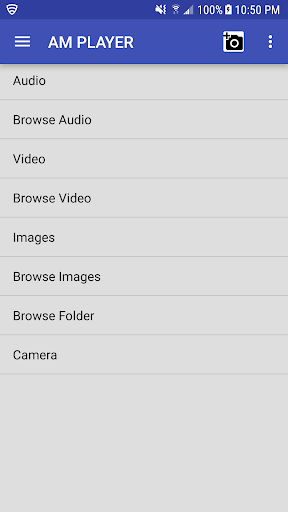
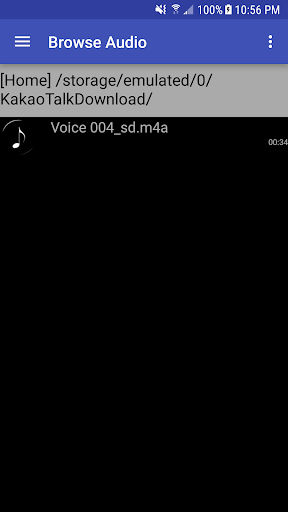
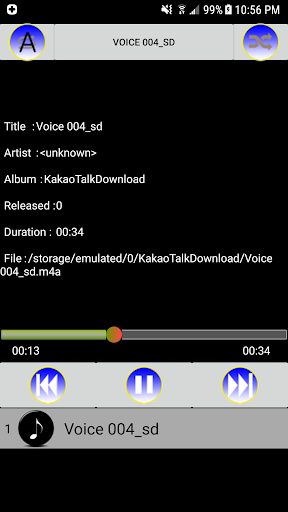

Android app profile
AM Player for Android – Latest Version & Features
★★★★★
(0 ratings)
Rate this app
How do you feel about AM Player?
Thanks for your feedback!
> 2.2k
Monthly Downloads
~$900
Estimated Cost
Screenshots









