

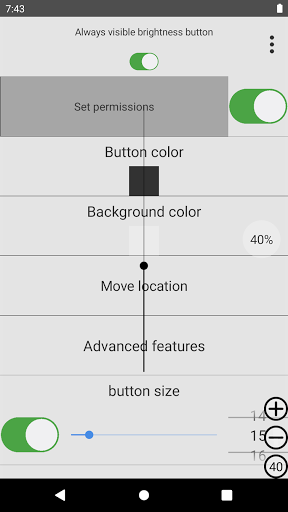
You can use the scroll bar to adjust the brightness because it is larger in the middle of the screen.manual:1: Click Second Line Permissions and click OK.
Please set permissions.
If you click the first row button to set screen overlay permissions, a brightness button will appear at the bottom right.2: Click the Advanced Features button in the 4th line.
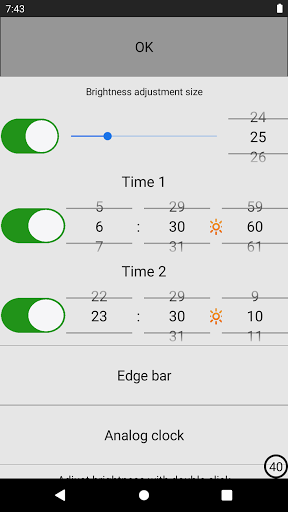
Click the “Set automatic screen brightness mode by double-clicking” button in line 6.
You can switch brightness automatically by quickly clicking the button on the screen twice.3: If you click the 7th line “Disable automatic brightness with the plus or minus button” button, automatic brightness will be turned off when you click the plus or minus button.Accessibility APIAccessibility services are required when clicking on the screen when using the macro option.
No user data is used or collected.
https://andro.io/app/alwaysbrightnessbutton
Rate this app
How do you feel about always visible brightness?
Thanks for your feedback!
> 2.2k
Monthly Downloads
~$900
Estimated Cost
Screenshots




