
Aircraft Landing Control loosely simulates the actions of an air traffic controller.
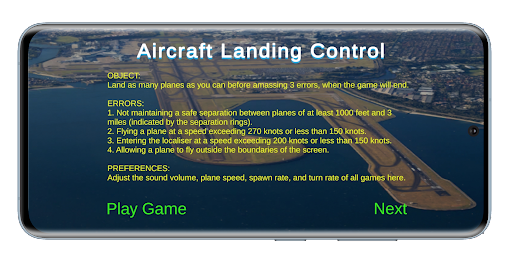
Land as many planes as possible before incurring 3 errors.
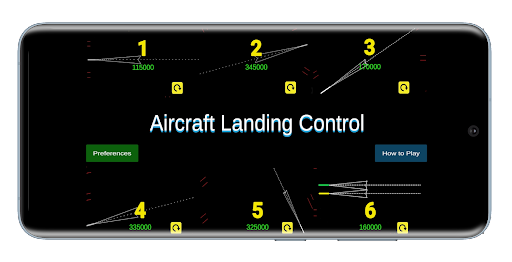
6 runways are provided, one free and the remainder available to purchase.
Each runway presents different challenges and, through Preferences, the player can modify the game’s difficulty.
Preferences are only available if the game has been purchased.Move each plane to the localiser.
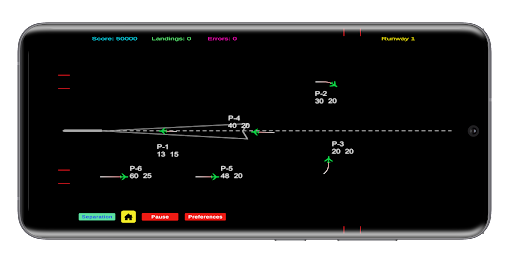
Hold and drag your finger in the direction you want it to head.
Tapping a plane opens a Control Panel where you alter air speed, and height and direction.
Tapping Approach Clearance will direct planes to the localiser and land them automatically, with no further player input.
Maintain a safe separation between planes of 3 miles or 1000 feet or incur an error.
Errors are also incurred by exceeding a speed of 270 knots, by allowing a plane to fly off screen and entering the localiser at speed exceeding 200 knots or a height that is not between 2000 and 3000 feet.
https://andro.io/app/alc-runways
 Power 100

Android app profile
Aircraft Landing Control for Android – Latest Version & Features
by Greatwhite
★★★★★
(0 ratings)
Rate this app
How do you feel about Aircraft Landing Control?
Thanks for your feedback!
> 2.2k
Monthly Downloads
~$900
Estimated Cost
Screenshots









