
# Cubroid, The easiest coding block in the world!Introducing Cubroid, the world’s easiest programming block set that allows children to explore the world of technology and gain exposure to programming!
Through dynamic connective blocks and simple programming, Cubroid offers a fun and educational experience for children to express their creativity.In order to program the movements of your robot, use the simple programming function.
# How to use cubroid App?1.
Please enable Bluetooth on your smartphone.2.
Run the cubroid coding block app.
3.
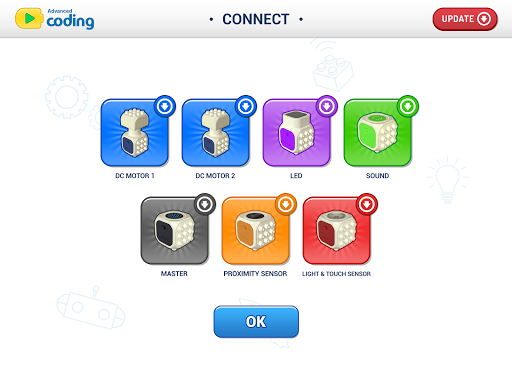
Connecting the cuberoid module block 3-1.
Please click the link button.
The icon of the module block appears on the screen.
3-2.
Turn on the module you want to use.
Wait a minute and Ill be connected.
* When the module is connected, it turns into a colored picture.4.
Once you have finished connecting the modules, return to the home.
Please click on the image of the project.
https://andro.io/app/advancedcoding
 Power 100


Android app profile
Advanced Cubroid for Android – Latest Version & Features
★★★★★
(0 ratings)
Rate this app
How do you feel about Advanced Cubroid?
Thanks for your feedback!
> 2.2k
Monthly Downloads
~$900
Estimated Cost
Screenshots









