
Discover the power of this innovative tool, serving as an elegant Android to Android ADB (Android Debug Bridge) with a Terminal solution right on your device — No root access needed!Establish a connection with your target device either via USB OTG cable or through WIFI, granting you the flexibility to experiment and navigate through the device.How to use?1.) Enable developer options and USB debugging on your target device.
(Learn how: https://developer.android.com/studio/debug/dev-options)2.) Connect the device where youve installed this app to the target device via USB OTG cable.3.) Allow app to access USB device and make sure target device authorizes USB debugging.Explore Official ADB Guide for more information: https://developer.android.com/studio/command-line/adbawesome-adb — for complete list of commands: https://github.com/mzlogin/awesome-adb/blob/master/README.en.mdImportant:This app uses the normal/official way of communicating with Android devices which requires authorization.The app does not bypass Androids security mechanisms or anything similar!Encounter any bugs?
Let us know at [email protected]
https://andro.io/app/adbify
 Power 100
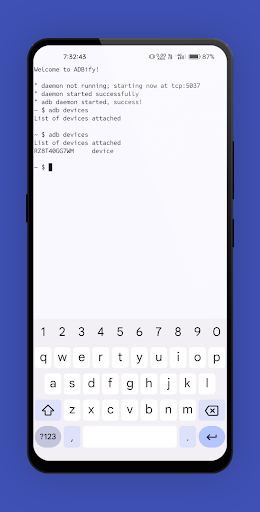
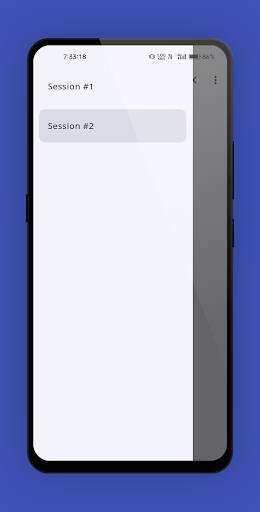
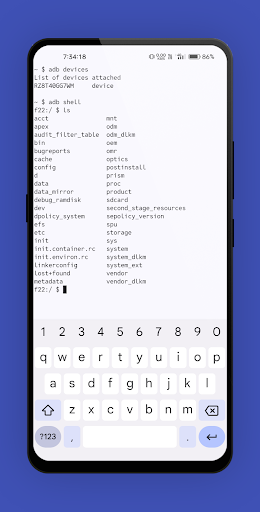

Android app profile
ADBify — Terminal ADB, USB OTG for Android – Latest Version & Features
by RKV Studios
★★★★★
(0 ratings)
Rate this app
How do you feel about ADBify — Terminal ADB, USB OTG?
Thanks for your feedback!
> 2.2k
Monthly Downloads
~$900
Estimated Cost
Screenshots









