

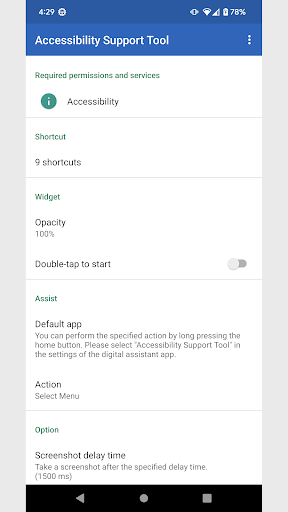
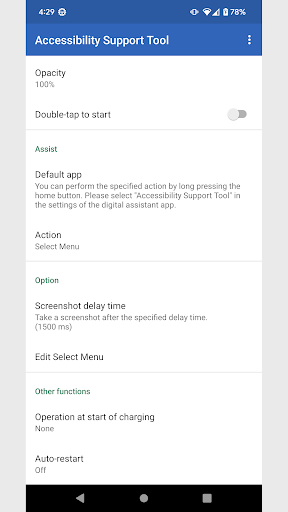
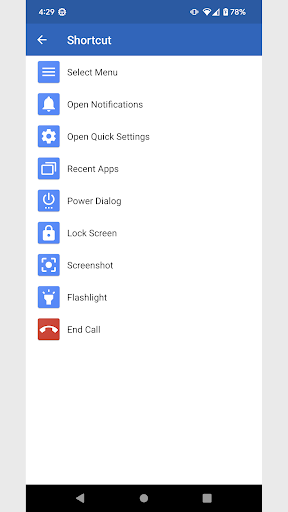
The app uses the AccessibilityService API to help people with shaky fingers or other handicap disabilities handle their smartphones with fewer movements.By creating shortcuts on the home screen, you can open the notification bar and perform button operations that are difficult to use due to the positional relationship with a single tap.If you have any opinions or requests, please let us know.■AccessibilityService API usage location・Open Notifications・Open Quick Settings ・Recent Apps・Power Dialog・Lock Screen・Screenshot・Go Home・Back ・Gathering information and auto-clicking on on-screen controls■Shortcut List・Select Menu・Open Notifications・Open Quick Settings・Recent Apps *・Power Dialog *・Lock Screen *・Screenshot *・Flashlight *・End Call *・Clear all *・Restart ** Can be placed in the quick settings panel of the terminal■WidgetIt is also possible to place widgets instead of shortcuts.You can set the transparency of the icon and the activation method (single tap and double tap).■AssistYou can perform the specified action by long pressing the home button.
Please select "Accessibility Support Tool" in the settings of the digital assistant app.■When charging starts (Android 9 or higher)Displays the home screen and locks the screen when charging starts.Power source is selectable.・AC adapter・USB・Wireless chargerThe default value is "Wireless charger".You can also clear all recently used apps.* Only when the screen is not lockedStructure1.
Display the recent apps screen and search for the clear all button.
*The text used for searching can be changed.2.
When you find the Clear All button, click it automatically.■Auto-restartAutomatically restart the terminal within 1 hour from the set time.Only restart the device if:・When the screen is off・When the remaining battery level is 30% or moreStructure1.
Turn on the screen at the specified time.2.
Bring up the power menu and search for the restart button.
*The text used for searching can be changed.3.
If you can find the restart button, click it automatically.■About permissionsThis app uses the following permissions to provide various services.
Personal information will not be sent outside the app or provided to third parties.・Make and manage phone callsRequired when ending a call.This app uses the AccessibilityService APIThis is for the purpose of using the functions of the "Accessibility Support Tool" and is not used for any other purpose.This app does not collect terminal data or monitor operation.This app uses device administrator privilegesThis is to use the "Lock Screen" function and is not used for any other purpose.When uninstalling, disable device administrator privileges before uninstalling.■NotesPlease note that we are not responsible for any troubles or damages caused by this app.
https://andro.io/app/accessibility-shortcut

Rate this app
How do you feel about Accessibility Support Tool?
Thanks for your feedback!
> 2.2k
Monthly Downloads
~$900
Estimated Cost
Screenshots









