
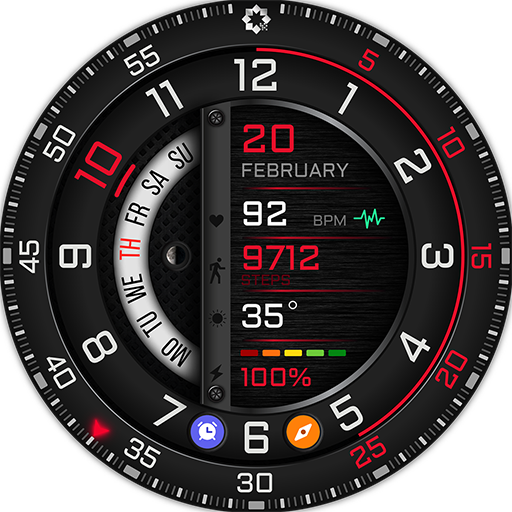
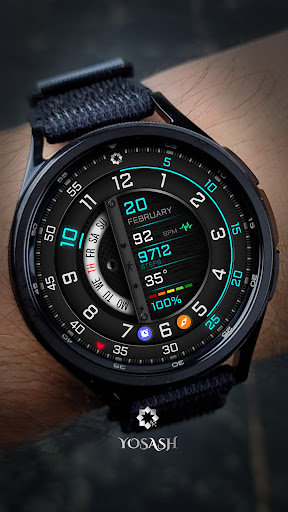
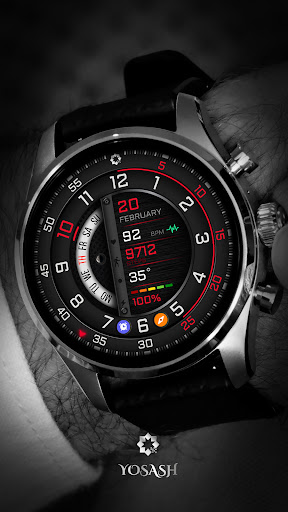
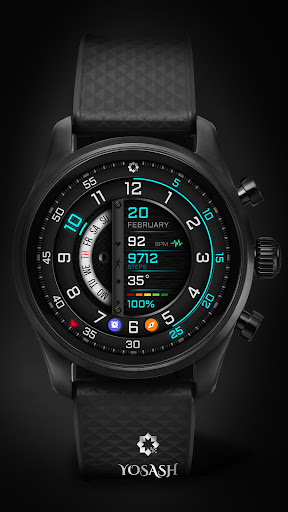
Watch face features:- Analog watch face with a creative look- Day of month, week- Steps count- Heart rate- 2 (customizable field) for example:sunrise, next vent, time zone, weather, barometer, ..- Battery level- Changeable background colors (tap & hold to customize & change colors) - Quick access to heart rate- Quick access to calendar, battery status- Quick access to 2 custom shortcuts------------------------------------------------------------------Watch face customization- Tap and hold on any place on the watch face- swiping till find customize- Choose which complication do you want to customize- Select from the menu the complication that you want to show like weather, barometer, ..------------------------------------------------------------------Installation instructions:1.
Make sure that your watch is connected to your mobile via Bluetooth 2.
Install the watch face and make sure that you selected your watch from the arrow beside the price3.
You can also install the watch face by opening play store through your web browser.4.
You can install the watch face through your watch directly by opening the play store on the watch and search for the watch face and install it.Official Samsung Installation guidehttps://www.youtube.com/watch?v=vMM4Q2-rqoMPlease consider that the watch face developer has no control of the installation process on play store.
You will not charge for a watch face 2 times.If you need any assistance, please contact to yosash.group@gmail.com------------------------------------------------------------------Supported devices:all Wear OS devices with API Level 30+ likeNote:- This watch face doesnt support square devices.------------------------------------------------------------------Follow us for new watch faces:Facebook:https://www.facebook.com/yosash.watchInstagram:https://www.instagram.com/yosash.watch/Telegram:https://t.me/yosash_watchWebsite:https://yosash.watch/Support:[email protected]
https://andro.io/app/a480
 Power 100
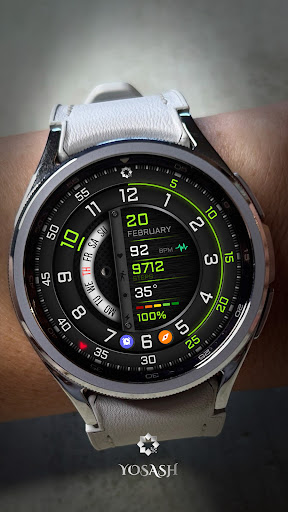
Android app profile
A480 Analog Watch Face for Android – Latest Version & Features
by Yosash
★★★★★
(0 ratings)
Rate this app
How do you feel about A480 Analog Watch Face?
Thanks for your feedback!
> 2.2k
Monthly Downloads
~$900
Estimated Cost
Screenshots









