
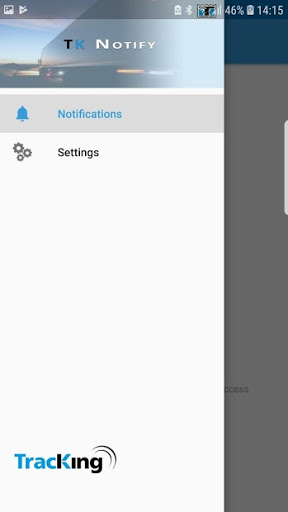
Update :The Thermo King Notify will no longer be available after the end of October 2022, please download the new Thermo King Connect App to ensure access to the features you need.https://play.google.com/store/apps/details?id=com.trane.tkconnectThermo King Notify allows customers to create rich notifications for those contacts that are subscribed to Thermo King TracKing notifications.1.
On TracKing, simply create a new notification (or edit an existing one).2.
Specify the Vehicles you wish to monitor and be notified on.3.
Specify what combination of Alarms, Unit Events, Unit Requests and Geofences you wish to create the TracKing Notification for.4.
Select the Contacts you wish to receive these TracKing Notifications.
The contact must have a mobile number associated with them in the format +CountryCode NetworkCode MobileNumber5.
Select "Thermo King Notify" as the Notification Type.
6.
Save the TracKing Notification.7.
Contacts must register on Thermo King Notify using their actual device.8.
Once registered on Thermo King Notify contacts will receive any TracKing Notifications as specified in steps 1-6.Create multiple TracKing Notifications & subscribe the registered Thermo King Notify Contact to that notification.
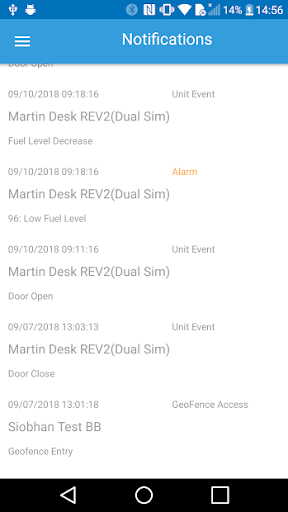
The Contact will receive a Push Notification on their device informing them of the Thermo King TracKing Notification when it occurs.TracKing Notification details can then be viewed on the App with rich content:Unit NameDate of notificationnotification type & sub-typeReturn Air ValuesFuel Level value.
https://andro.io/app/tknotify-xtnx
 Power 100


Android app profile
Thermo King Notify for Android – Latest Version & Features
by ThermoKing
★★★★★
(0 ratings)
Rate this app
How do you feel about Thermo King Notify?
Thanks for your feedback!
> 2.2k
Monthly Downloads
~$900
Estimated Cost
Screenshots









