
Use your phone as dashcam, speedometer, map current location, Continues loop recording if your speed exceeds 5kmp.
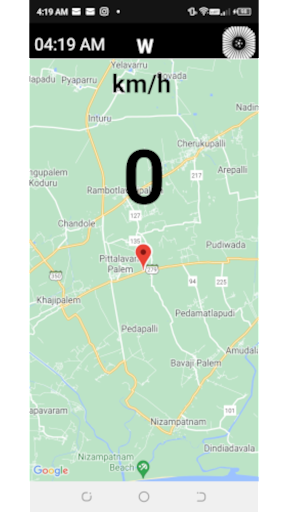
Duration is configurable, saves max of 2 files.SpeedometerShows your speed in kilo meters or miles based on your settings.All human and phone interactions will be disabled once you exceed 5 km.
Only the phone will be working for you.Dash cam1) Uses the latest camera x and records video and sound in a continues loop(rear camera).
Saved videos can be viewed and shared in settings.
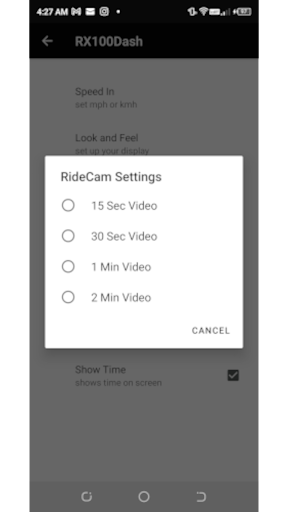
Dash cam loop logic engaged only when you exceed more than 5kmp.2) Settings for Dash cam are in 15 seconds video 30 sec video1 minute video2 minute videoDash Cam LogicWhen you select 30 seconds video in your settings.You will end up with two 30 second videos a total of 1 minute.
So simply put you will end up with a total video time of your last 1 minute ride.
Dash cam keeps overwriting the same 2 files, so you do not end up using up too much filespace.Location shareYou can share your current location using your build in share apps by just clicking "share location" in the settings menu.Compass bearingShows your travel bearing in north,south,east,west.Look and FeelSet the main screen colors.
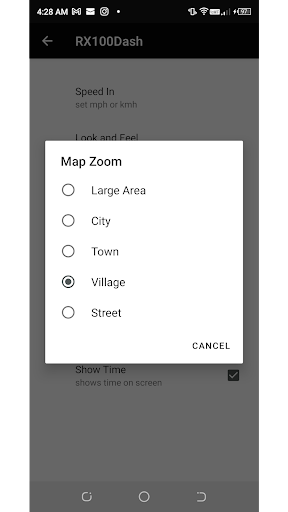
If you pick Map then it will show you in the map while you move with a default zoom in level.
Zoom levels can be changed using settings.
https://andro.io/app/rx100dash
 Power 100

Android app profile
RX100dash for Android – Latest Version & Features
★★★★★
(0 ratings)
Rate this app
How do you feel about RX100dash?
Thanks for your feedback!
> 2.2k
Monthly Downloads
~$900
Estimated Cost
Screenshots









