
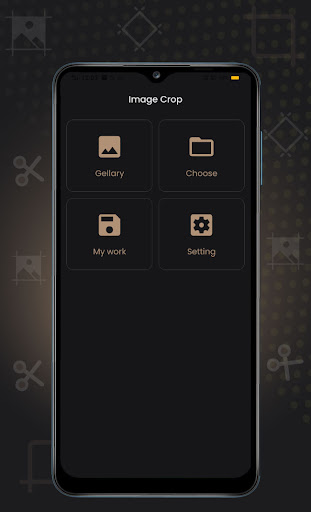
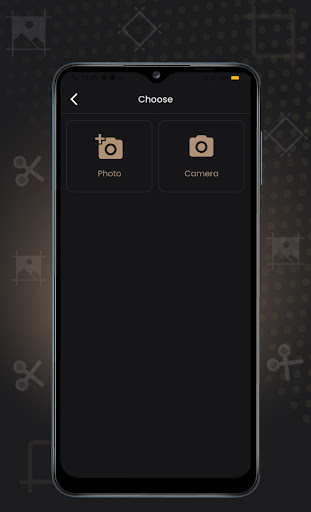
You can crop photos from your gallery or take an image from the camera and also added the feature of capturing the photo and cropping the same.HOW TO USE:If you open the app then there will be 4 options on it like Gallery, My Work, and Choose from camera or gallery, setting.
Simply open the Image crop application and select gallery.
There are shows your custom photo gallery then select photo so you can crop image from square circle etc.You can crop the photo after selecting the photo, it will see the function of image crop on the bottom, like Fit image, square, 3:4, 4:3, 9:16, 16:9, 7:5, free, Circle, Circle square.By selecting the option, you can crop the photo accordingly, then save photo and show on my work option.FEATURE OF IMAGE CROP1) Crop image from custom gallery.2) Crop image you can choose from camera or gallery.3) Show all save image from my work.4) You can crop photo like Fit image, square, Circle etc.5) You can easy to delete crop image from my work.6) You can flip image from left side or right side.SUPPORTED FEATURE FOR IMAGE CROPFit imageSquare3:4 aspect ratios4:3 aspect ratios9:16 aspect ratios16:9 aspect ratios7:5 aspect ratiosFree aspect ratiosCircle aspect ratiosWe hope you will like this application.If you have any feedback or suggestions, please leave them on the reviews for Image crop.Download it!
Don’t forget to share this application.
https://andro.io/app/resizer-1t265
 Power 100


Android app profile
Image Crop for Android – Latest Version & Features
★★★★★
(0 ratings)
Rate this app
How do you feel about Image Crop?
Thanks for your feedback!
> 2.2k
Monthly Downloads
~$900
Estimated Cost
Screenshots









