
Ever wondered how the peak on the other side of the valley is named?
Or that tiny village at the horizon?
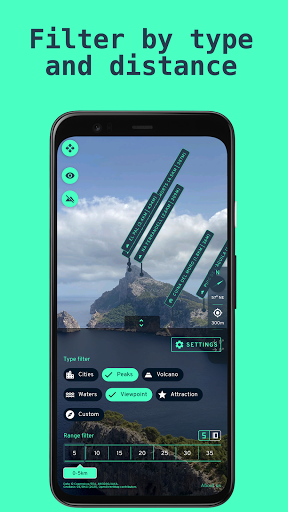
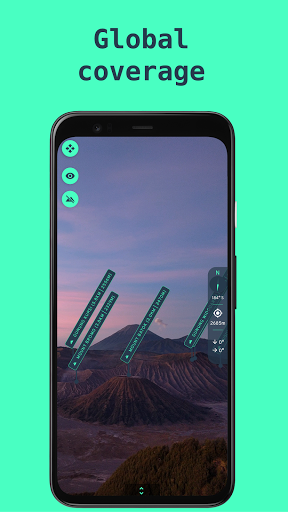
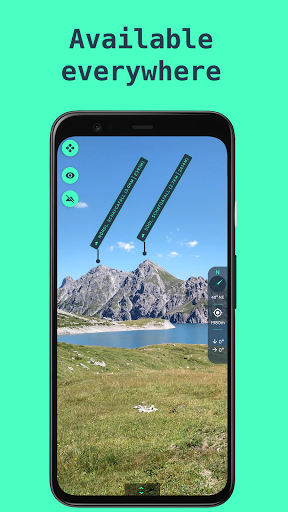
Or are you on the road and want to know where your home is?Check out the Explora app, the ultimate augmented reality (AR) experience to explore your environment bringing world-wide coverage (yes, even in the Antarctic).Camera OverlayNearby POIs (point of interest) are directly drawn/labelled on the image your devices camera provides by considering your location and the devices attitude.3D terrain overlayTo improve the AR experience, Explora provides an optional 3D terrain overlay drawn on top of the cameras image for better orientation.POI typesExplora provides information about peaks, volcanos, settlements and generic viewpoints at this time.Only visible POIsExplora can optionally hide all POIs which are not visible by line of sight by calculating their visibility state.Filtering optionsDecent filtering options provide you control about the POIs being displayed, e.g.
toggling POI types and setting distance limits.Your own POIsDefine your own POIs not available by default.Manual correctionExplora is strongly dependent on accurate sensor measurements to calculate POI positions.To compensate for any sensor inaccuracies, manual corrections can be applied to improve the positioning accuracy.Information regarding POI position issuesThe POI labels are drawn on top of your devices cameras screen by calculating the position with the help of your precise location (provided by GNSS "GPS" sensor) and your phones attitude (pitch/yaw/roll).Latter is obtained by your devices accelerometer, magnetometer and gyroscope.Any inaccurate sensor measurements lead to offsets on the cameras image.If you experience large offsets, either your phones sensors are not calibrated and distorted, or their precision is generally not high enough.
https://andro.io/app/explora-1si9e
 Power 100

Android app profile
Explora: Discover surroundings for Android – Latest Version & Features
by Binaric
★★★★★
(0 ratings)
Rate this app
How do you feel about Explora: Discover surroundings?
Thanks for your feedback!
> 2.2k
Monthly Downloads
~$900
Estimated Cost
Screenshots









