
Dasol Fishing Bundang is located on the 2nd floor of 21 Daewangpangyo-ro, Seongnam-si, Gyeonggi-do and handles a variety of fishing supplies.
Dasol Fishing Bundang will always work hard for our customers.
Be sure to fill your stomach with fish.■ Information on app access permissionsIn accordance with Article 22-2 of the Act on Promotion of Information and Communications Network Utilization and Information Protection, etc., consent to ‘app access rights’ is obtained from users for the following purposes.We only provide essential access to items that are absolutely necessary for the service.You can use the service even if you do not allow optional access items, and the details are as follows.[Contents about required access]1.
Android 6.0 or higher● Phone: When running for the first time, access this function to identify the device.● Save: Access this function when you want to upload a file, use a bottom button, or display a push image when writing a post.[Contents about selective access]1.
Android 13.0 or higher● Notifications: Access this function to receive push notifications.[How to withdraw]Settings > App or application > Select the app > Select permissions > Select consent or withdrawal of access permissions※ However, if you run the app again after revoking the required access information, the screen requesting access permission will appear again.
https://andro.io/app/eunfish
 Power 100
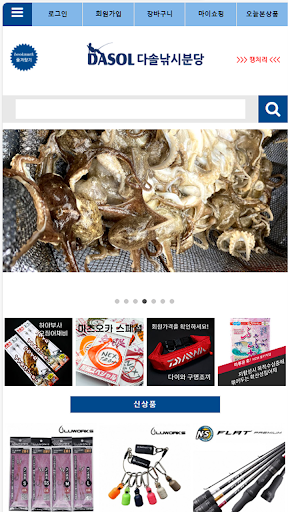
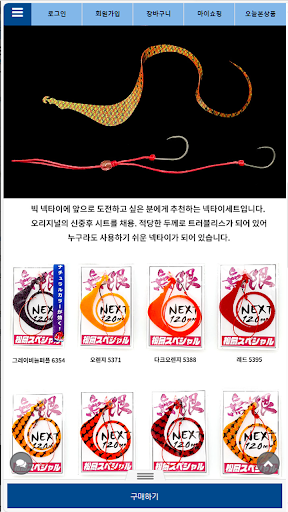
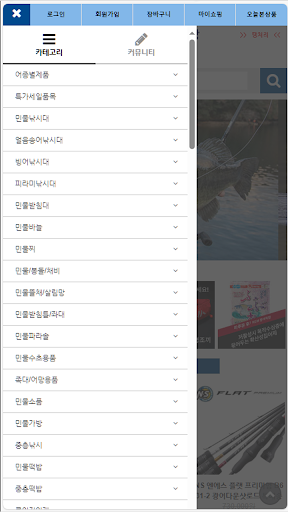
Android app profile
다솔낚시분당 for Android – Latest Version & Features
by Power App 2
★★★★★
(0 ratings)
Rate this app
How do you feel about 다솔낚시분당?
Thanks for your feedback!
> 2.2k
Monthly Downloads
~$900
Estimated Cost
Screenshots









